Trading panel
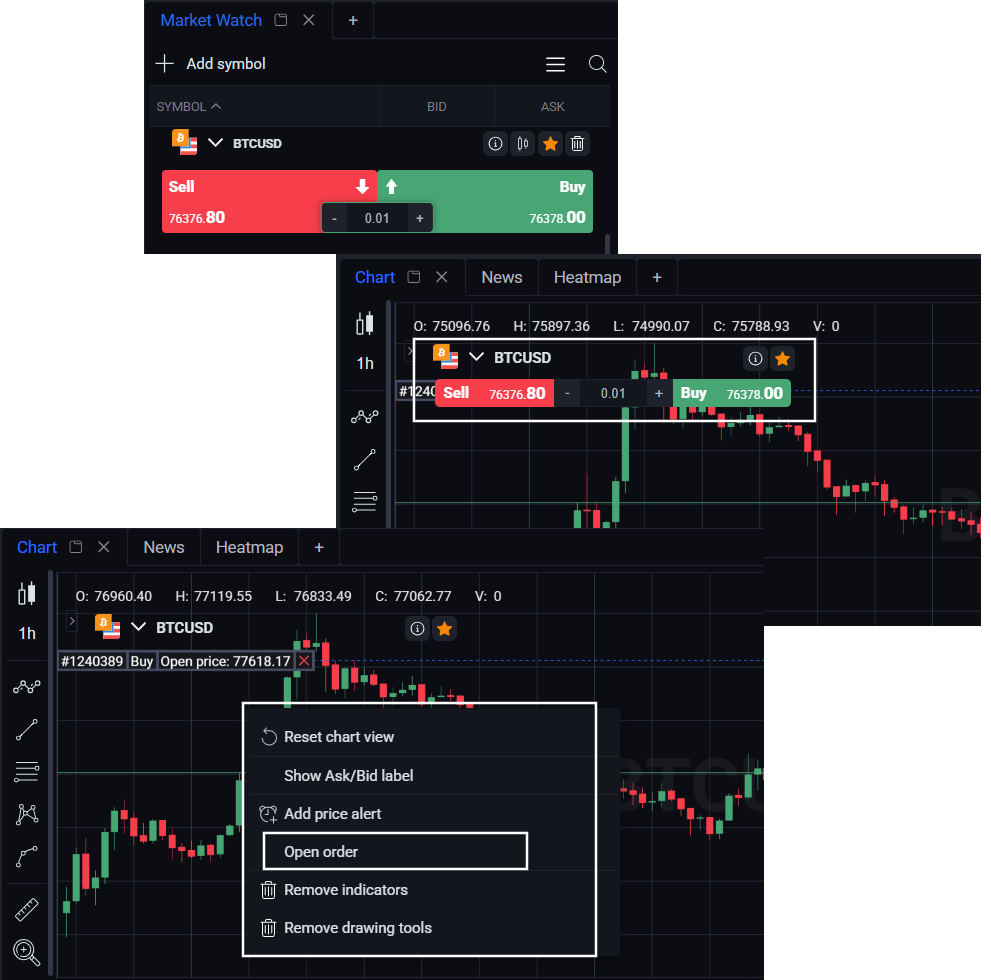
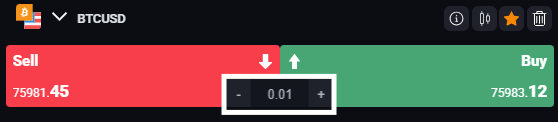
To place an order, simply click on the Sell/Buy buttons for the selected asset (another possibility – to click on Buy/Sell button on the Chart or to click with the right mouse button on the chart and choose “Open order”). You can choose to set the volume now, or adjust it later in the Trading Panel window.
The Trading panel is divided into two parts: simple chart of the chosen asset and trading panel with all information about the order based on the chosen volume and current market price.
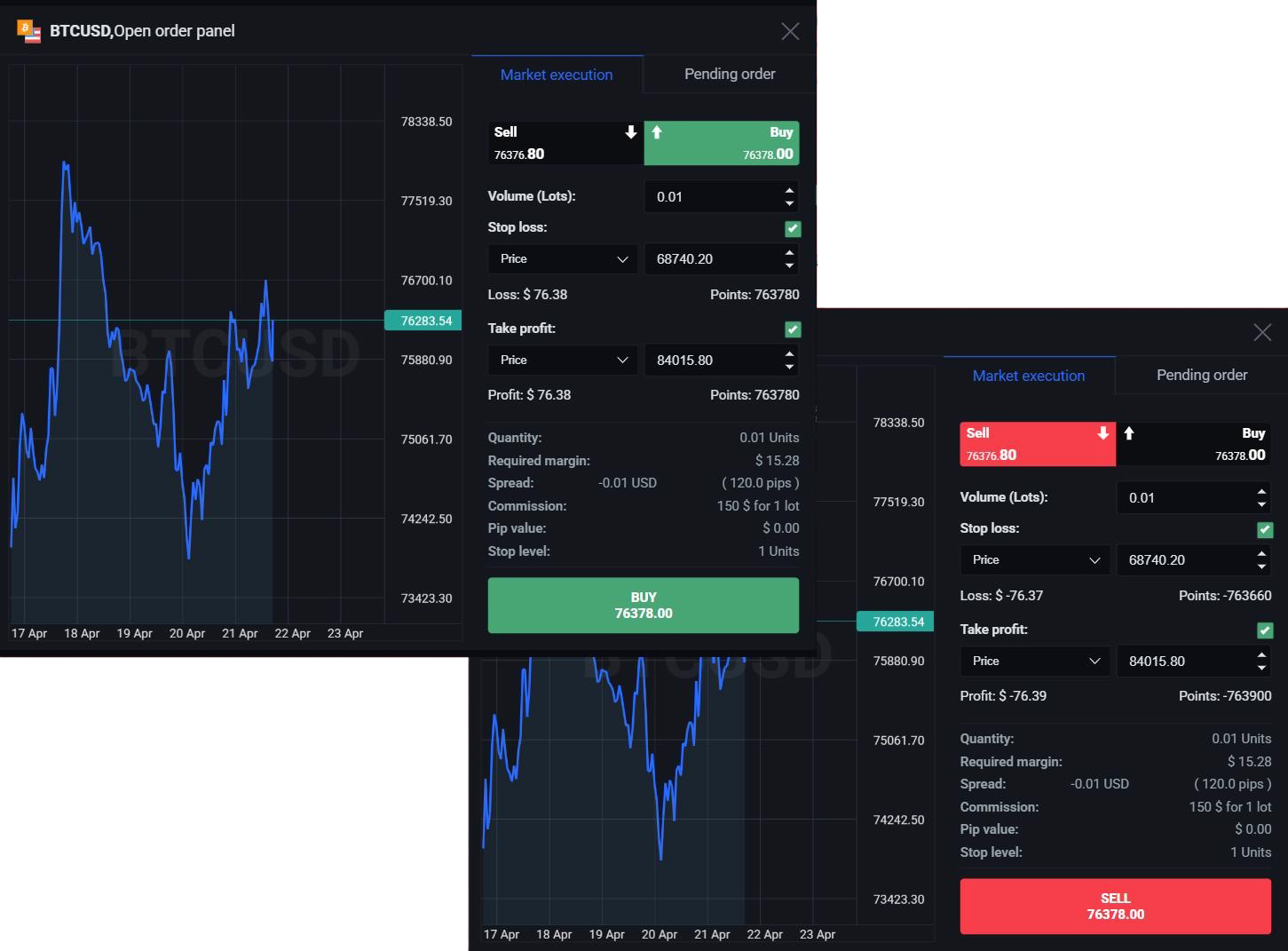
You can place two types of orders on the Trade Panel, Market execution and Pending order.
In the Market execution you can easily set the volume, Stop Loss, and Take Profit.
For a more advanced control, use the Pending Order option, where you can set the Expiration Date, Activation Price, Volume, Take Profit, and Stop Loss.
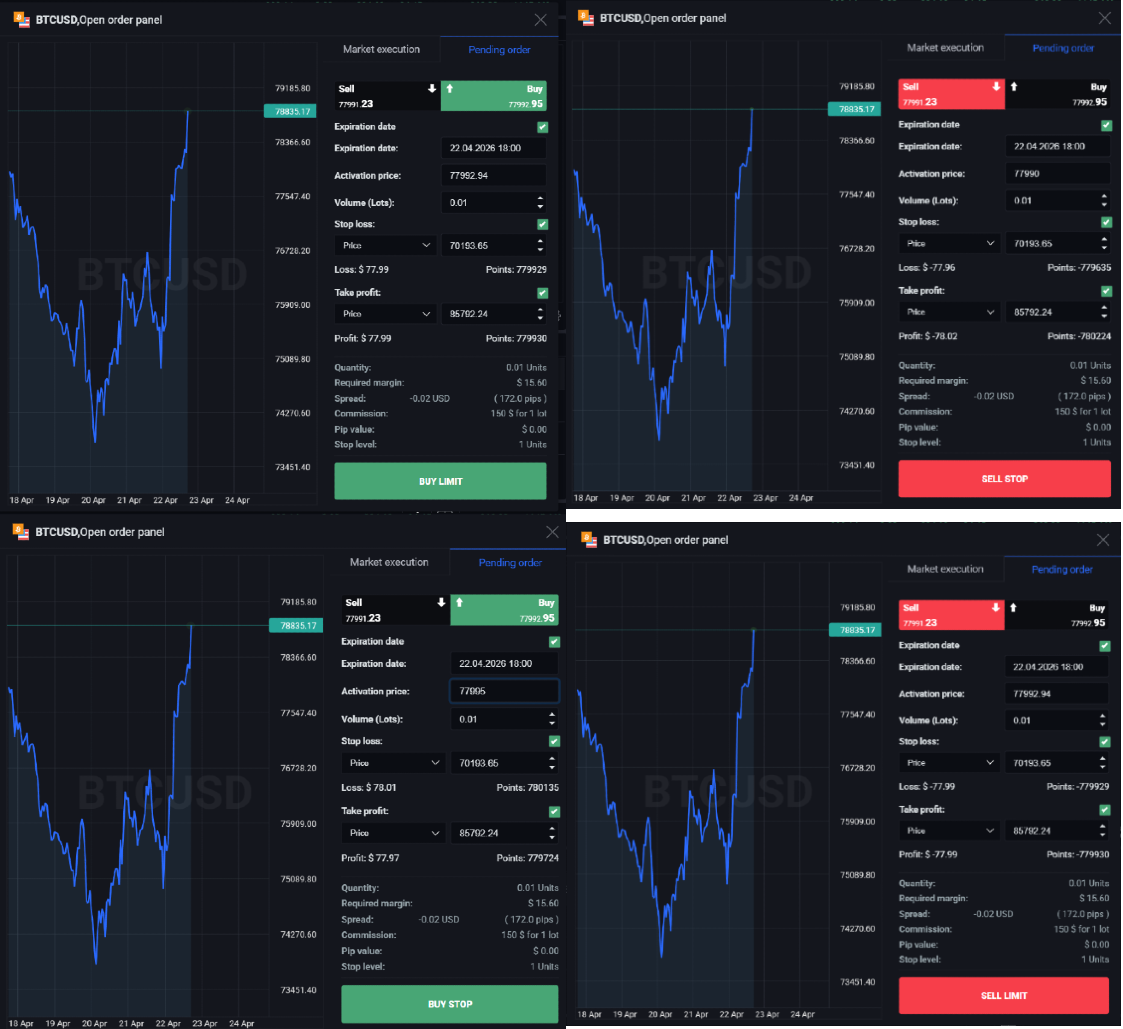
This is important for you as a trader because it gives you more control over trades and allows you to effectively manage risks and secure profits. By setting Stop Loss and Take Profit, you can limit potential losses and lock in profits, reducing your exposure to risk. The Expiration Date and Activation Price in a Pending Order provide even more flexibility, enabling you to take advantage of market conditions that may not currently exist.
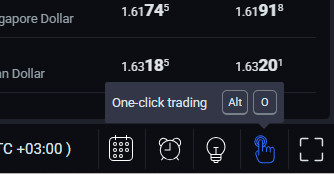
There is also a quick trading option available that allows you to execute trades without using the Trading Panel. To enable this feature, simply click on the "One-click trading" button on the Bottom menu. When this function is enabled, you will have the ability to make Instant Execution trades with a single click.
The buy/sell buttons now allow you to execute instant orders, only the Volume is adjustable.
Depending on whether you place a Market Execution or Pending Order, your trades will be reflected in the appropriate section. The Market execution trades will appear in the Positions module, while the Pending orders will be listed in the Pending orders module. In these modules you can view and manage your open orders.