Market list
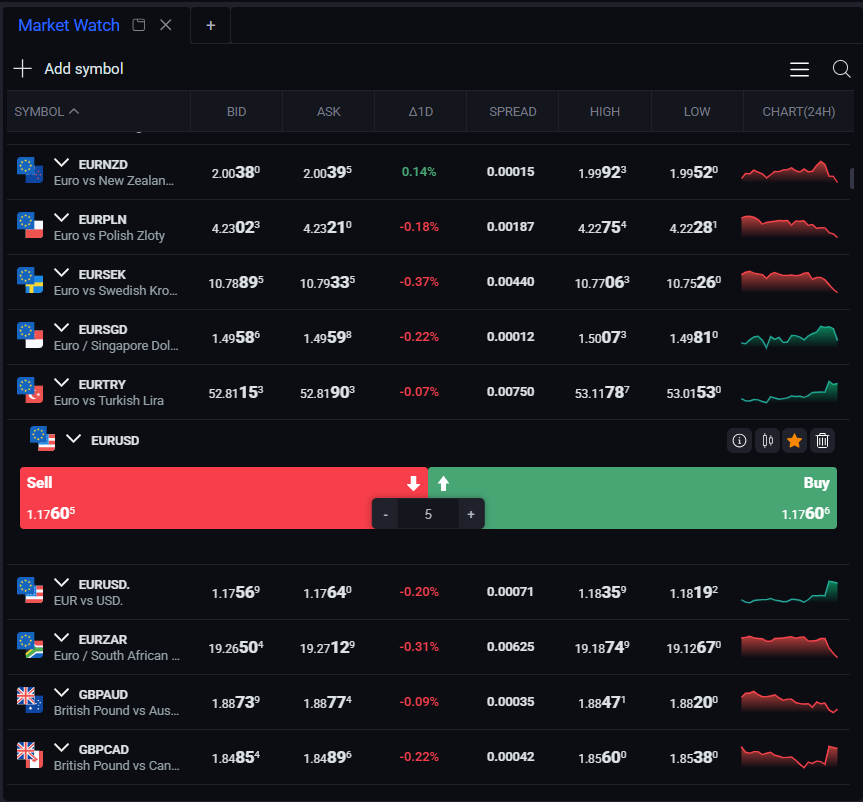
Depending on how wide you open the market window, you will get more information accordingly.
Market indicators
- Bid: The bid price is the highest price that a buyer is willing to pay for a security.
- Ask:The ask price is the lowest price that a seller is willing to accept for a security.
- Δ1D: Δ1D (Delta 1 Day) is a metric that represents the price change of a security over the last 24 hours. It is calculated as the difference between the current price and the price of the security 24 hours ago.
- Spread: The spread is the difference between the bid and ask price of a security. It represents the cost of buying or selling the security and is a measure of the market's liquidity.
- High: The high price is the highest traded price of a security over 1 day period.
- Low: The low price is the lowest traded price of a security over 1 day period.
- Chart: Simplified graphical representation of the price action of a security over time.
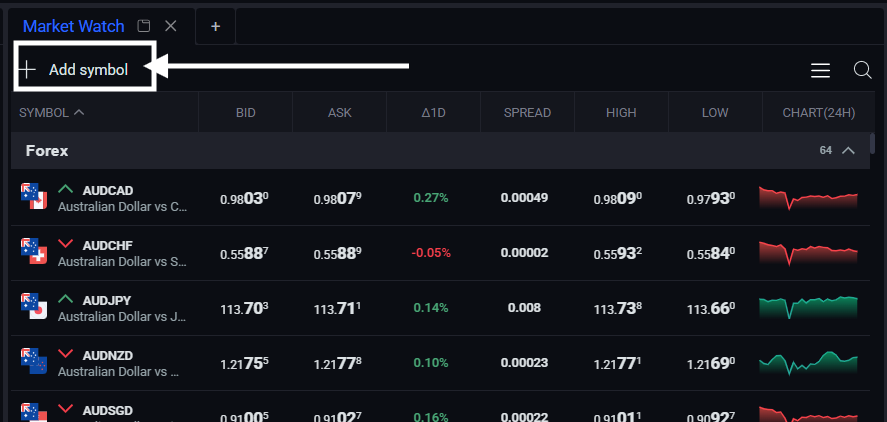
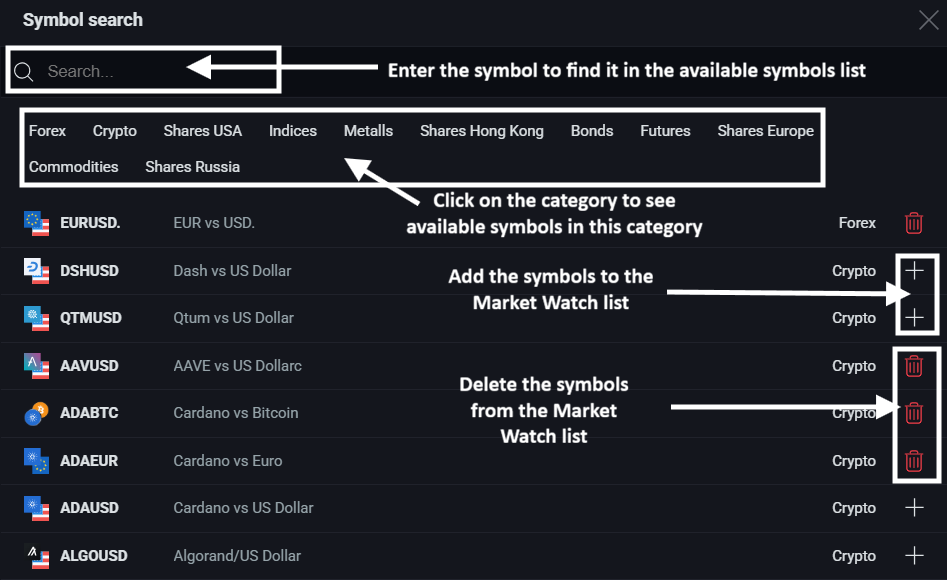
You can add new assets or delete the assets from the list:
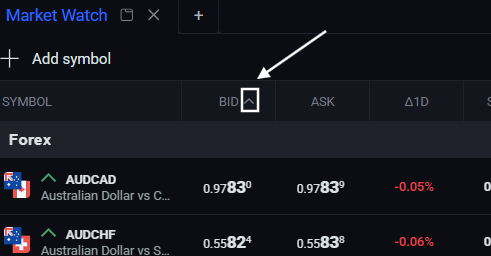
You have the ability to interact with the Bid and Ask columns by rearranging these categories, either from first to last or from the highest to the lowest (also vice versa).
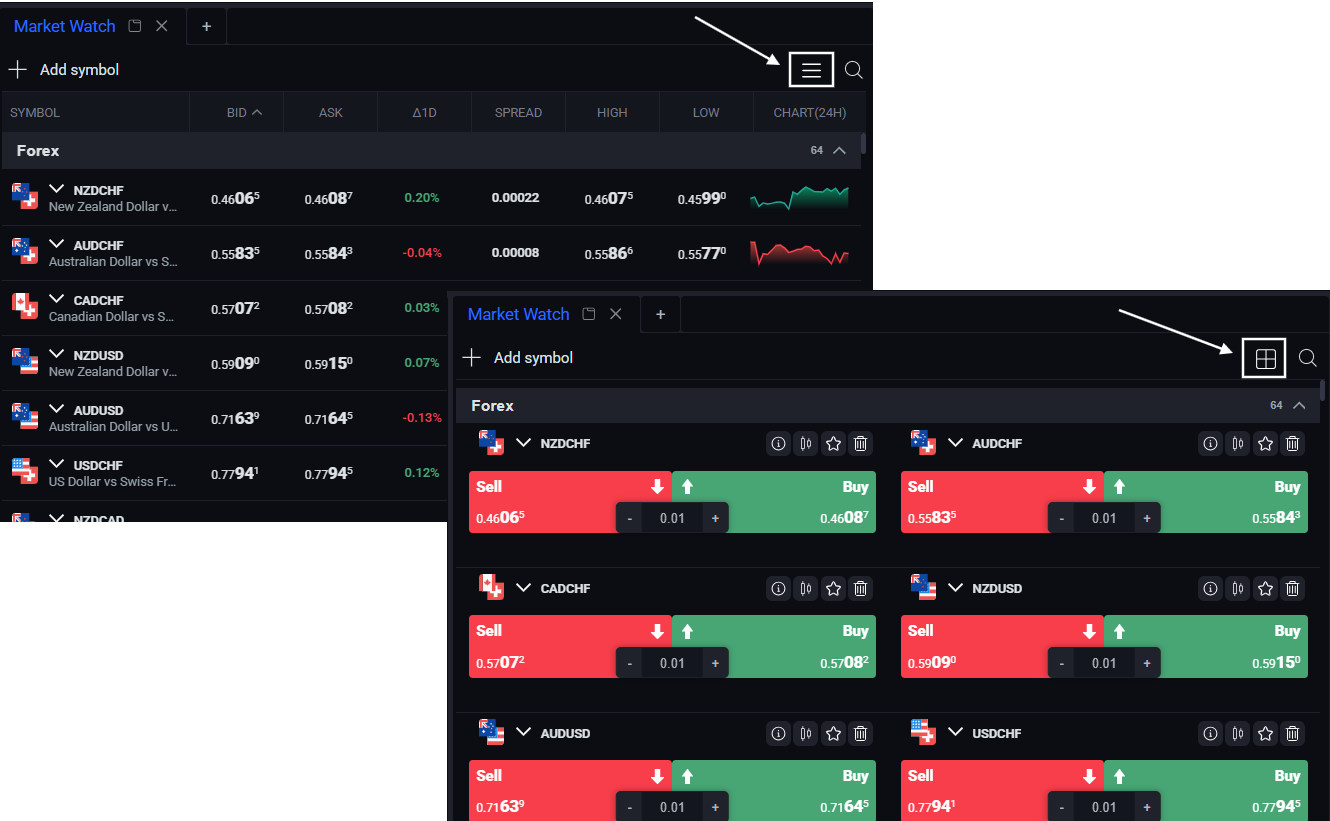
You have the option to view the Market in different configurations by clicking this button.
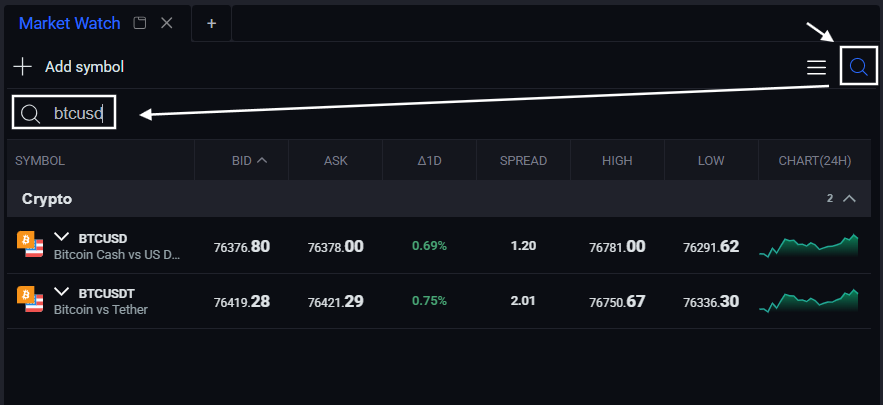
You can use the search option to find the needed symbol in the Market list.
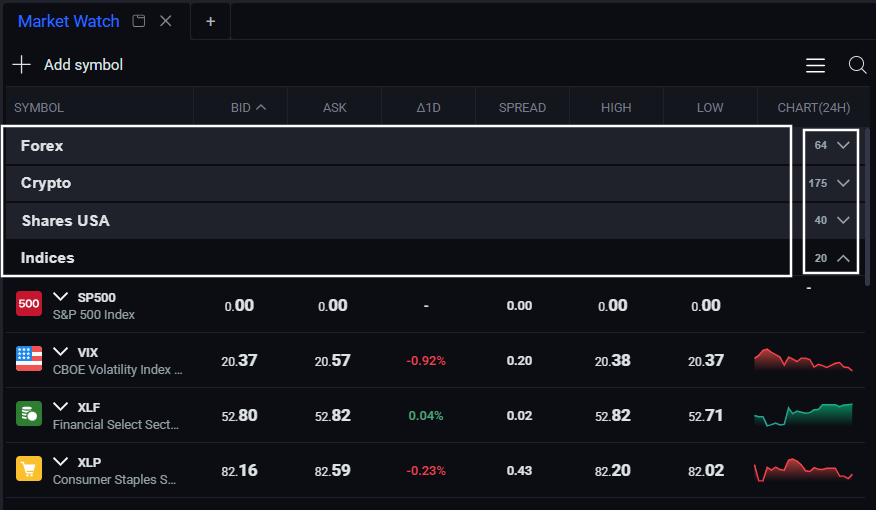
All symbols are divided into categories - you can collapse or expand the category by clicking on each of them to manage symbols within the list. There is a number of the symbols in each category on the right.
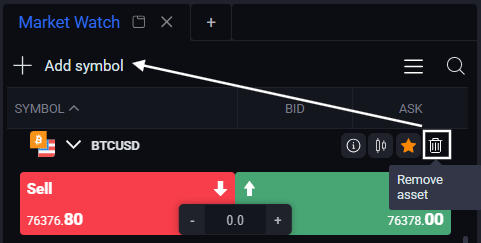
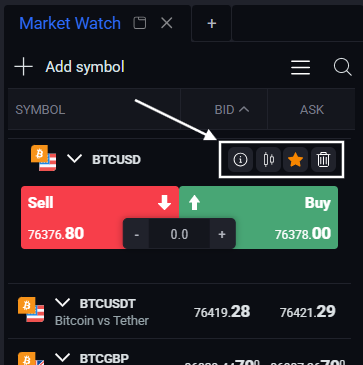
Clicking on the symbol in the Market list, you will see 4 action icons there.
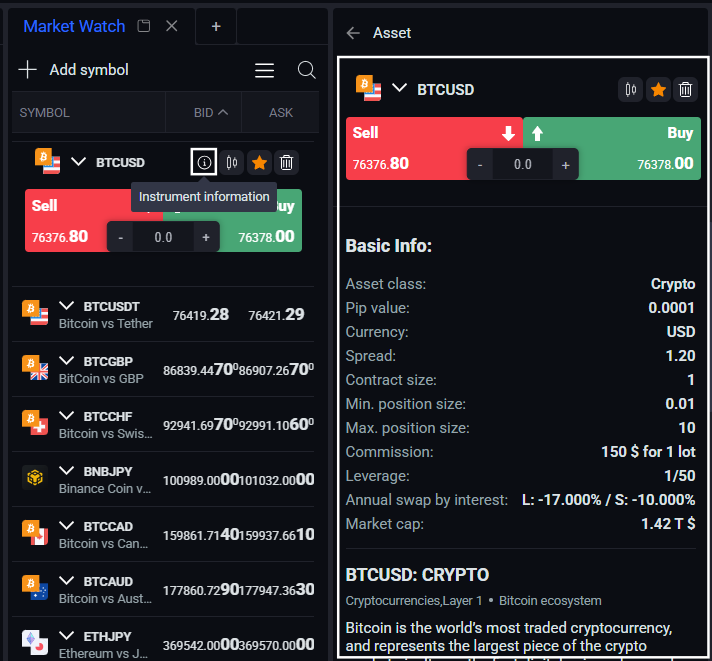
For further details on the symbol, select the “Instrument Information” icon to open a sub-tab with additional information and asset values:
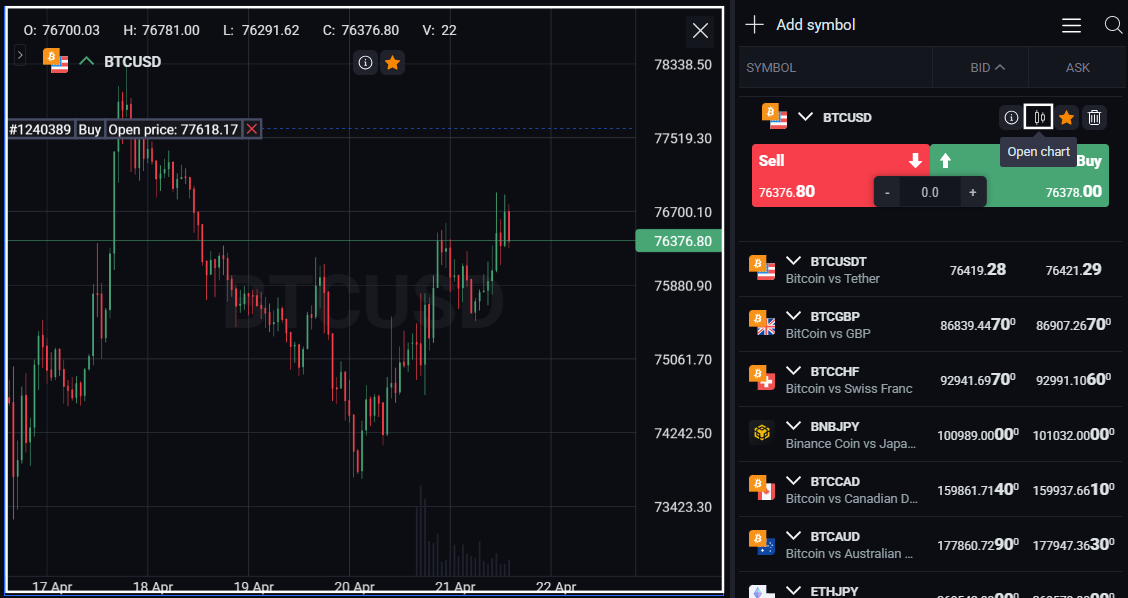
To open the chart please click on the “Open chart” info icon:
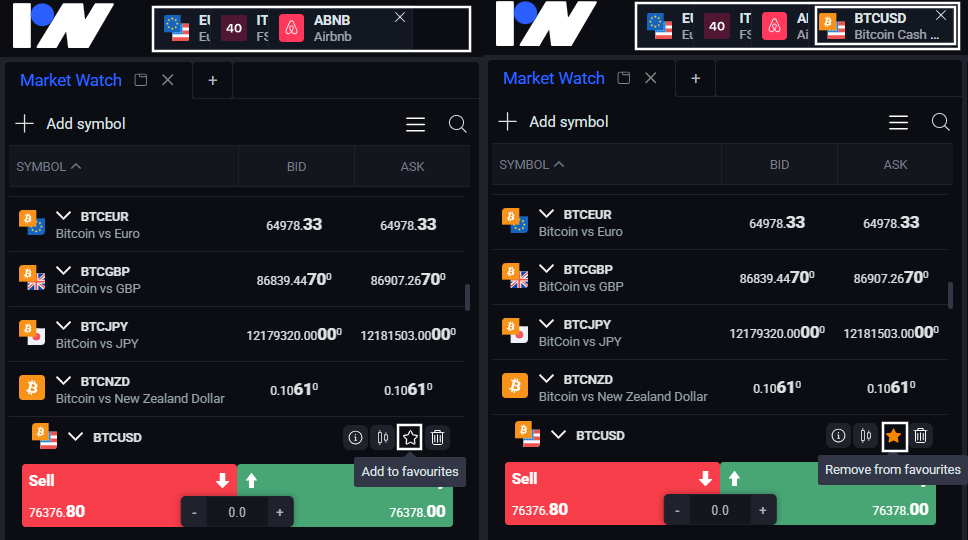
To add the symbol to the Favourites please click on the “Add to favourites” star icon. You can choose up to 5 preferred assets, which will then be displayed on the top left on the header. To remove the symbol from the favourites please click again on the star icon:
You can delete the symbol from the Market list by clicking on the "Remove asset" wastebasket icon. It is available again for adding under the Add symbol.